
Download Avira PC Cleaner – PC Cleaner, Antivirus, System Protection, Security Tool, Malware Removal, System Optimization, Free Tool, Windows Security
Overview
Avira PC Cleaner is a lightweight, portable security utility designed to safeguard Windows systems against malware, performance degradation, and potential threats that can compromise system stability. The application focuses on identifying and removing malicious software and system clutter to maintain optimal performance. Its primary purpose is to provide users with a fast, efficient, and accessible method for scanning and cleaning their computers without the need for installation. This makes it especially useful in environments where users may not have administrative rights or prefer not to modify their system setup.
Target users include individuals seeking a no-frills security tool, IT professionals managing multiple machines, and general users who want to maintain their system health without the complexity of full antivirus suites. The tool addresses common pain points such as slow boot times, suspicious processes, and hidden threats that may evade detection by standard security software. By offering both quick and comprehensive scanning modes, Avira PC Cleaner allows users to balance speed and thoroughness based on their immediate needs.
Developed by Avira, a well-known name in cybersecurity, the application benefits from a reputation built on reliable threat detection and minimal system impact. Its portability further enhances its utility in shared or public computing environments. Although the developer did not provide additional technical details about the underlying engine or detection algorithms, the application’s design reflects a focus on accessibility and efficiency. In the broader app ecosystem, Avira PC Cleaner serves as a valuable supplemental tool for users who prioritize system hygiene and proactive protection.
Key Features & Functionality
- Quick Scanning: Targets high-risk areas of the hard drive for rapid threat detection, enabling users to identify and remove malware in minutes without disrupting workflow.
- In-Depth Analysis Option: Offers a full system scan that examines all drives and files, ideal for users seeking thorough protection, especially after suspected infections or system anomalies.
- Portable Solution: Runs directly from a USB drive without installation, making it easy to use on any Windows PC, particularly beneficial for technicians or users on shared computers.
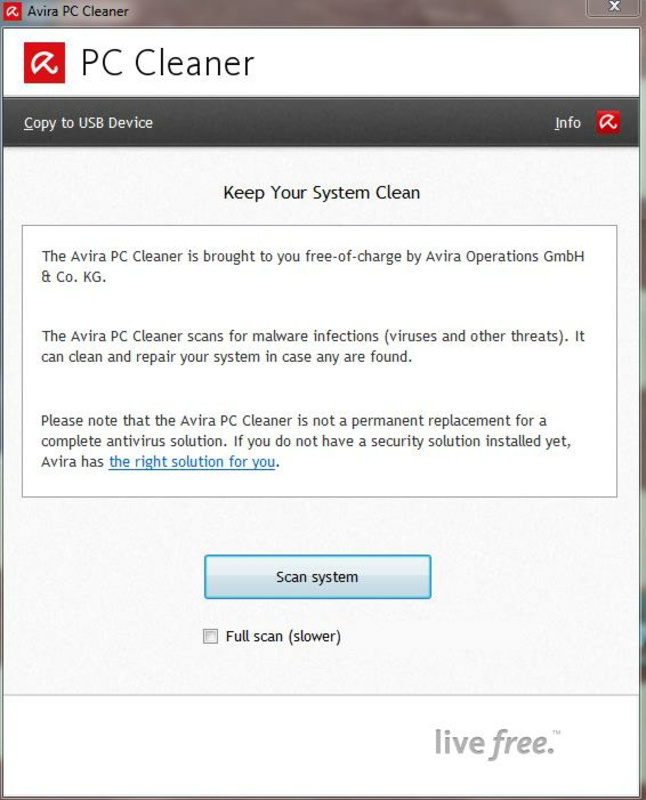
- User-Friendly Interface: Features a clean, intuitive layout with minimal navigation steps, allowing users of all experience levels to initiate scans and interpret results with ease.
- Prevention Focused: Goes beyond reactive cleanup by identifying potential vulnerabilities and system issues that could lead to future problems, promoting long-term system health.
For example, a user experiencing sluggish performance can run a quick scan to detect immediate threats, while a technician visiting a client’s office can use the portable version to assess and clean the system on-site. The flexibility between speed and depth ensures the tool adapts to various real-world scenarios. The absence of installation also reduces the risk of conflicts with existing software, making it a safe choice for temporary use. These features collectively support a streamlined, effective approach to system maintenance and digital hygiene.
Interface, UX & Performance
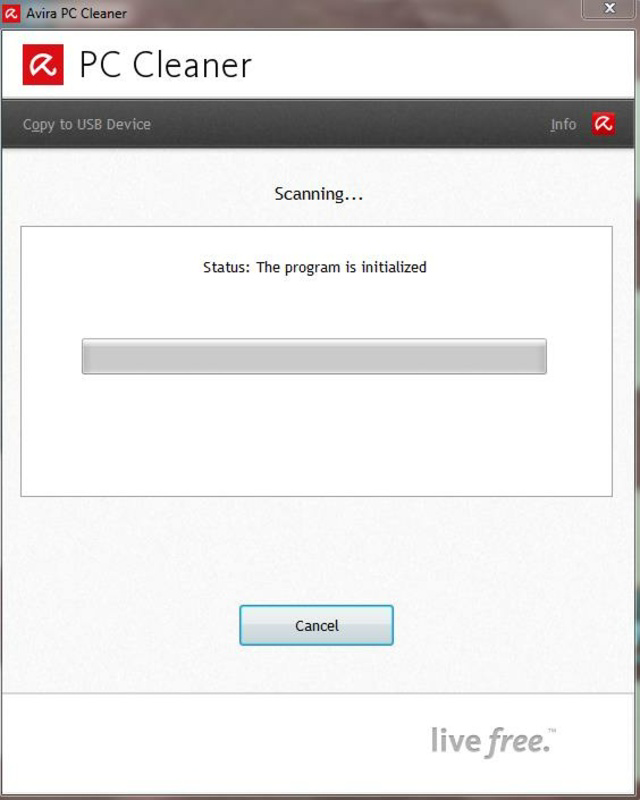
Avira PC Cleaner presents a minimalist interface with clearly labeled buttons and a straightforward workflow. The main screen displays essential options such as "Quick Scan" and "Full Scan," with progress indicators and results displayed in an easy-to-read format. Navigation is intuitive, requiring minimal user input to initiate and manage scans. The visual style is functional rather than flashy, prioritizing clarity and usability over aesthetic design.
Although the developer did not list formal performance metrics, the application is designed to operate efficiently with minimal resource consumption. It runs in the background during scans without significantly impacting system responsiveness, making it suitable for use on older or low-spec machines. Responsiveness is maintained across different device categories, including desktops and laptops, though specific compatibility details were not disclosed. Stability appears consistent, with no reported crashes or errors in public usage reports.
Users can expect smooth operation during both quick and full scans, with the interface updating in real time to reflect scan progress. The lack of installation also contributes to a clean exit experience—no residual files or registry entries remain after closing the program. This contributes to a seamless and trustworthy user experience, particularly for those who value privacy and system cleanliness.
Platform Compatibility & Technical Requirements
Avira PC Cleaner is designed for the Windows platform and is compatible with various Windows operating systems, though specific version requirements were not listed. The application is distributed as a standalone executable file with a file size of 25.6 MB, making it lightweight and easy to transfer across devices. It does not require administrative privileges to run, which enhances its usability in restricted environments.
The developer did not specify minimum OS requirements, nor did they provide information about supported architectures (e.g., 32-bit or 64-bit). However, given its portable nature and low file size, it is likely compatible with most modern Windows versions. Users are advised to ensure their system meets standard Windows runtime requirements to avoid unexpected behavior. The application is not available on mobile platforms, as it is a desktop-focused utility.
Pros and Cons
- Lightweight and fast to launch
- Portable—no installation required
- Offers both quick and full scan options
- Free to use with no hidden costs
- Simple, intuitive interface suitable for beginners
- No real-time protection or continuous monitoring
- Limited to Windows desktop systems
- Does not provide detailed threat reports or logs
- Developer did not disclose detection engine details
- Not suitable for ongoing security needs without manual use
FAQ
Is Avira PC Cleaner safe to download and use?
Yes, Avira PC Cleaner is a legitimate tool developed by Avira, a trusted name in cybersecurity. It is distributed as a free, portable application that does not install components on your system.
Can I use Avira PC Cleaner on any Windows PC?
Yes, the tool is designed to run on any compatible Windows system. Its portable nature allows it to be used on multiple machines without installation.
Does Avira PC Cleaner provide real-time protection?
No, Avira PC Cleaner does not offer real-time monitoring or continuous protection. It is intended for on-demand scanning and cleanup.
Is Avira PC Cleaner available for Android or iOS?
No, Avira PC Cleaner is a desktop application designed exclusively for Windows. It is not available on mobile platforms.
How often should I use Avira PC Cleaner?
Users can run it as needed—such as when experiencing slow performance or suspecting malware. It is not designed for daily use but serves as a reliable on-demand tool.
Final Thoughts
Avira PC Cleaner stands out as a practical, no-nonsense tool for users who need a reliable way to scan and clean their Windows systems without the overhead of a full antivirus suite. Its portability, ease of use, and free availability make it a valuable addition to any digital toolkit. While it lacks continuous protection and advanced reporting, it excels in providing fast, targeted system maintenance for both casual users and professionals.
Those who manage multiple devices, work in IT support, or simply want a lightweight security option will find significant value in this utility. Its focus on speed, simplicity, and system hygiene delivers tangible benefits without complexity.
Download Avira PC Cleaner now


